

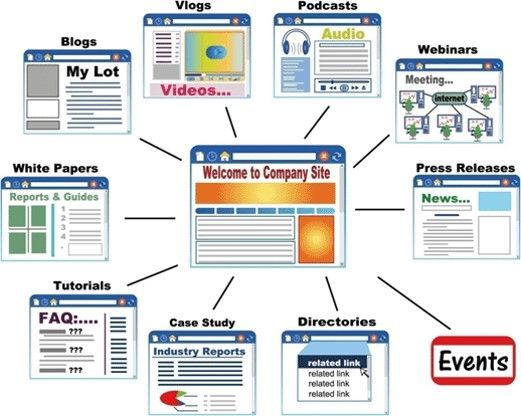








As a Digital Technologist, I use a variety of tools to create custom marketing solutions. Click the image to go to the link.

If you need to archive a website for later reference, you have a few options for saving it using Chrome. Each method has its features, depending on what you need from the webpage you're saving. Whether you're a minimalist, a convenience seeker, or a collector, Chrome offers a way to keep the web's riches in your digital pocket. HTML Only : This option saves the webpage in its bare-bones form, capturing only the HTML file. Think of it as saving the skeleton of the webpage without the flesh. You get the structure, the text, and the links, but it's like attending a gala in your finest attire and forgetting your shoes, purse, and accessories at home. The images, CSS (which dictates the webpage's style and layout), and JavaScript (which adds interactivity) are not saved. When you open the file, it might look like the webpage's less glamorous twin, missing its flair and dynamism.

Quickly generate the HTML code necessary for a table using the HTML Table Generator. This online tool will let you choose from a variety of sizes and let you customize the structure and visual look of the table with a standard selection of color and display options. This tool was designed for speed and efficiency so I've tried to include the essential options in order to let you put a table online as quickly as possible. This tool automatically generates the HTML, and CSS code. I revised the tool so that Javascript is no longer required - the highlight effect is now handled by the CSS hover pseudo-class. You can also create a table without styles to your exact row and column size if you want to add your own custom CSS styling later on.

A well-designed and converting landing page for your products and services is crucial for business growth. A thoughtfully crafted landing page can make all the difference in engaging and converting potential customers. Check out the template design ideas to help you create a landing page that drives results. With the right design, you can effectively showcase your offerings and compel visitors to take action, ultimately boosting your business success.
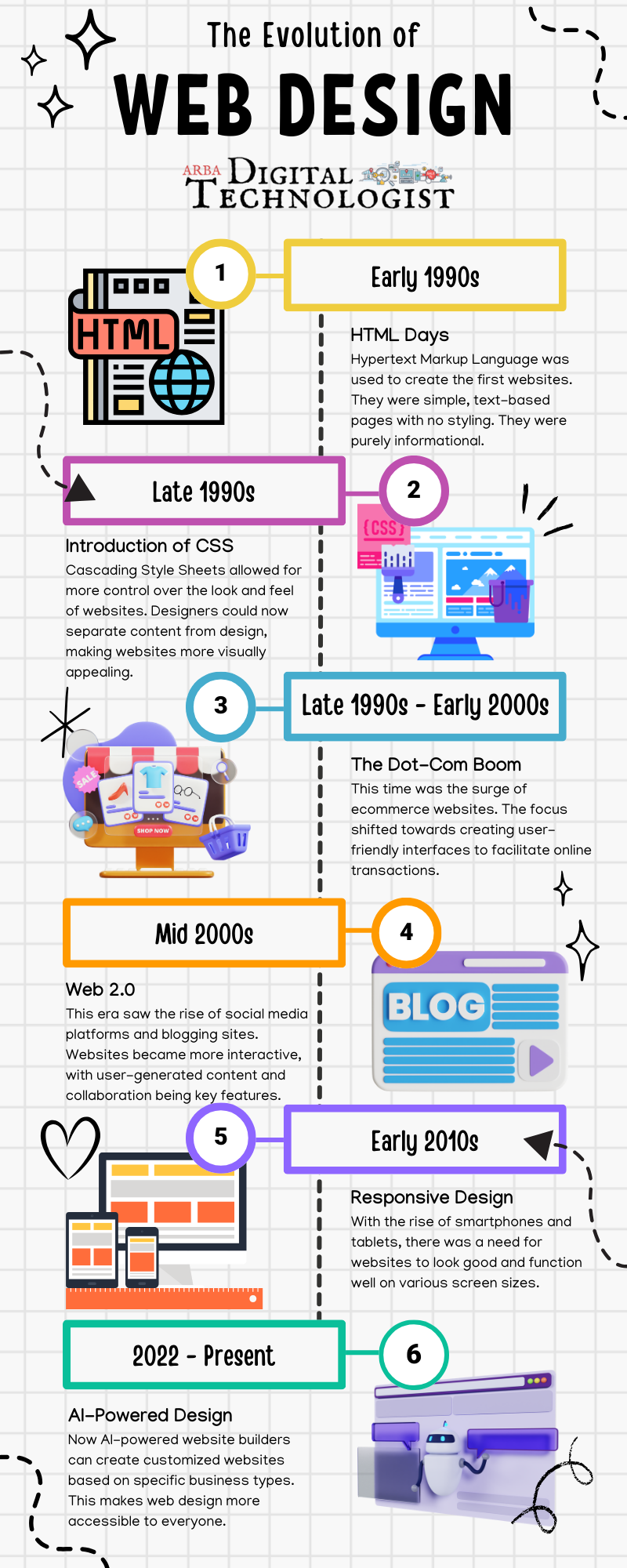

How to use Inspect Element in Chrome, Safari, and Firefox





Name Picker is an easy-to-use online tool to draw a random name from a list of names. You can select a name by spinning a wheel or instantly choose multiple names at once. Just enter a list of names, select draw settings and spin the wheel or start raffle to draw a random name. You can pick multiple names in the raffle generator, up to 10 names per draw.

Google Sites is a user-friendly platform that doesn't require any coding or design skills to use. This makes it accessible to a wider range of users. Google Sites integrates seamlessly with other Google products like Drive, Docs, and Sheets, making it easy to embed and share files from those services on your website. Google Sites also allows for collaboration with multiple users, which can be useful for group projects or team websites. However, it should be noted that there are limitations to the free version in terms of features and storage space.

Take a full-page screenshot with a Chrome shortcut
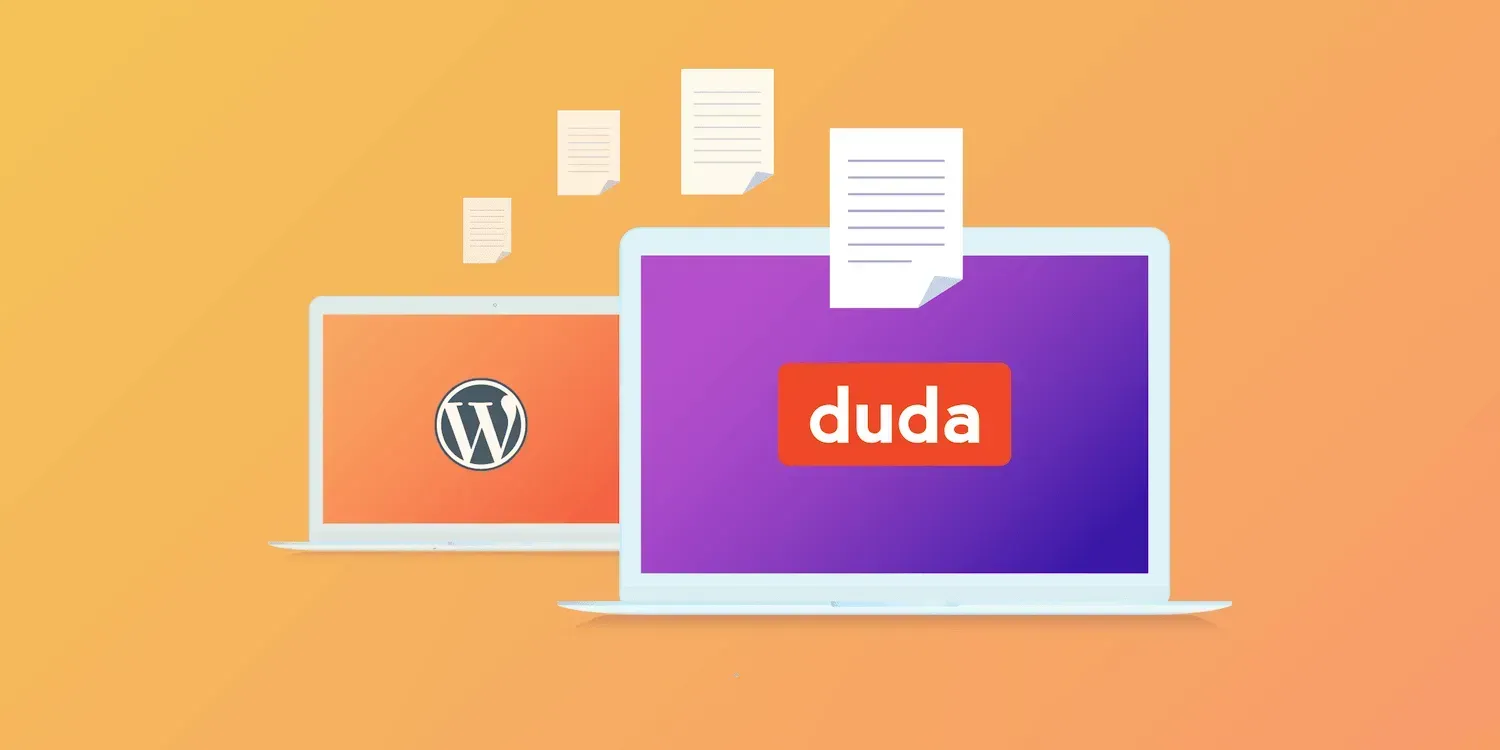
WordPress is not a good solution for solopreneurs!

You can collect payments online for your products or services by adding to an existing website or creating a new one!
As a Digital Technologist, I use a variety of tools to create custom marketing solutions. Click the image to go to the link.
If you need to archive a website for later reference, you have a few options for saving it using Chrome. Each method has its features, depending on what you need from the webpage you're saving. Whether you're a minimalist, a convenience seeker, or a collector, Chrome offers a way to keep the web's riches in your digital pocket. HTML Only : This option saves the webpage in its bare-bones form, capturing only the HTML file. Think of it as saving the skeleton of the webpage without the flesh. You get the structure, the text, and the links, but it's like attending a gala in your finest attire and forgetting your shoes, purse, and accessories at home. The images, CSS (which dictates the webpage's style and layout), and JavaScript (which adds interactivity) are not saved. When you open the file, it might look like the webpage's less glamorous twin, missing its flair and dynamism.
Quickly generate the HTML code necessary for a table using the HTML Table Generator. This online tool will let you choose from a variety of sizes and let you customize the structure and visual look of the table with a standard selection of color and display options. This tool was designed for speed and efficiency so I've tried to include the essential options in order to let you put a table online as quickly as possible. This tool automatically generates the HTML, and CSS code. I revised the tool so that Javascript is no longer required - the highlight effect is now handled by the CSS hover pseudo-class. You can also create a table without styles to your exact row and column size if you want to add your own custom CSS styling later on.
A well-designed and converting landing page for your products and services is crucial for business growth. A thoughtfully crafted landing page can make all the difference in engaging and converting potential customers. Check out the template design ideas to help you create a landing page that drives results. With the right design, you can effectively showcase your offerings and compel visitors to take action, ultimately boosting your business success.
How to use Inspect Element in Chrome, Safari, and Firefox
Name Picker is an easy-to-use online tool to draw a random name from a list of names. You can select a name by spinning a wheel or instantly choose multiple names at once. Just enter a list of names, select draw settings and spin the wheel or start raffle to draw a random name. You can pick multiple names in the raffle generator, up to 10 names per draw.
Google Sites is a user-friendly platform that doesn't require any coding or design skills to use. This makes it accessible to a wider range of users. Google Sites integrates seamlessly with other Google products like Drive, Docs, and Sheets, making it easy to embed and share files from those services on your website. Google Sites also allows for collaboration with multiple users, which can be useful for group projects or team websites. However, it should be noted that there are limitations to the free version in terms of features and storage space.
Take a full-page screenshot with a Chrome shortcut
WordPress is not a good solution for solopreneurs!
You can collect payments online for your products or services by adding to an existing website or creating a new one!