







Duda vs WordPress

WordPress is not a good solution for solopreneurs!

WordPress is a popular platform for website creation, but it's not the best fit for solopreneurs for several reasons.


THE COMPLEXITY AND TIME investment required to learn and effectively use WordPress can be overwhelming for most individuals who are not web designers. Unlike simpler, modern, and integrated solutions, WordPress requires a level of technical skill to customize and maintain, which can divert valuable time away from core business activities.

THE COST associated with maintaining a WordPress site can escalate quickly. While the platform itself is free, many essential plugins, themes, and hosting services are not. This can lead to unexpected expenses that solopreneurs might not be prepared for.


WordPress sites require
FREQUENT UPDATES to ensure security and functionality. This ongoing need for maintenance can be a significant burden for solopreneurs who might not have the expertise, time, or resources to manage these tasks effectively.


The rise of
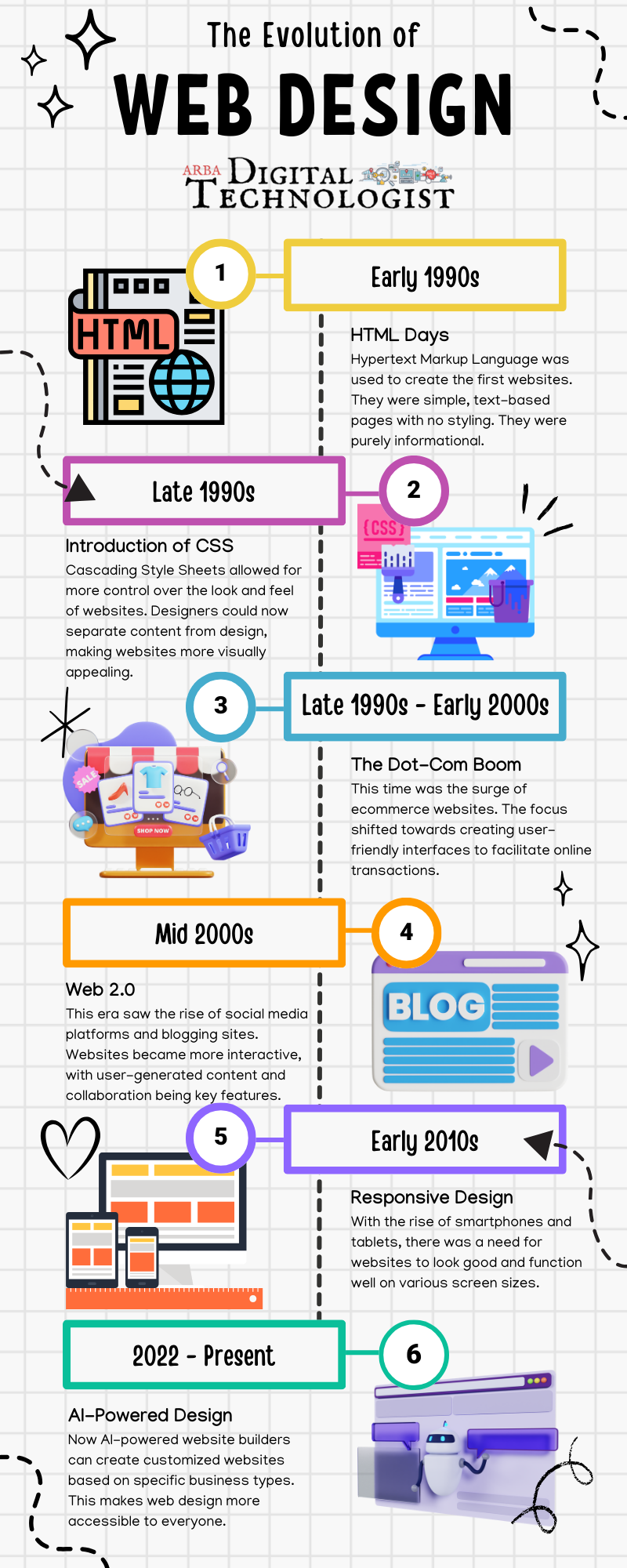
AI-POWERED WEBSITE BUILDERS offer more user-friendly solutions for specific business needs. These newer platforms can automatically customize websites to a business's unique requirements, making them more appealing to solopreneurs and small business owners who may not have the time or technical skills to manage a WordPress website.
Most solopreneurs mainly need an online presence for their business. WordPress is used for enterprise businesses that have an IT department to maintain their website.


Why Olive Street Design Swapped WordPress for Duda

By Arba Cooper November 19, 2025
As a Digital Technologist, I use a variety of tools to create custom marketing solutions. Click the image to go to the link.
May 23, 2024
If you need to archive a website for later reference, you have a few options for saving it using Chrome. Each method has its features, depending on what you need from the webpage you're saving. Whether you're a minimalist, a convenience seeker, or a collector, Chrome offers a way to keep the web's riches in your digital pocket. HTML Only : This option saves the webpage in its bare-bones form, capturing only the HTML file. Think of it as saving the skeleton of the webpage without the flesh. You get the structure, the text, and the links, but it's like attending a gala in your finest attire and forgetting your shoes, purse, and accessories at home. The images, CSS (which dictates the webpage's style and layout), and JavaScript (which adds interactivity) are not saved. When you open the file, it might look like the webpage's less glamorous twin, missing its flair and dynamism.
January 16, 2024
Quickly generate the HTML code necessary for a table using the HTML Table Generator. This online tool will let you choose from a variety of sizes and let you customize the structure and visual look of the table with a standard selection of color and display options. This tool was designed for speed and efficiency so I've tried to include the essential options in order to let you put a table online as quickly as possible. This tool automatically generates the HTML, and CSS code. I revised the tool so that Javascript is no longer required - the highlight effect is now handled by the CSS hover pseudo-class.  You can also create a table without styles to your exact row and column size if you want to add your own custom CSS styling later on.
December 21, 2023
A well-designed and converting landing page for your products and services is crucial for business growth. A thoughtfully crafted landing page can make all the difference in engaging and converting potential customers. Check out the template design ideas to help you create a landing page that drives results. With the right design, you can effectively showcase your offerings and compel visitors to take action, ultimately boosting your business success.
By info November 6, 2023
July 3, 2023
How to use Inspect Element in Chrome, Safari, and Firefox
June 14, 2023